
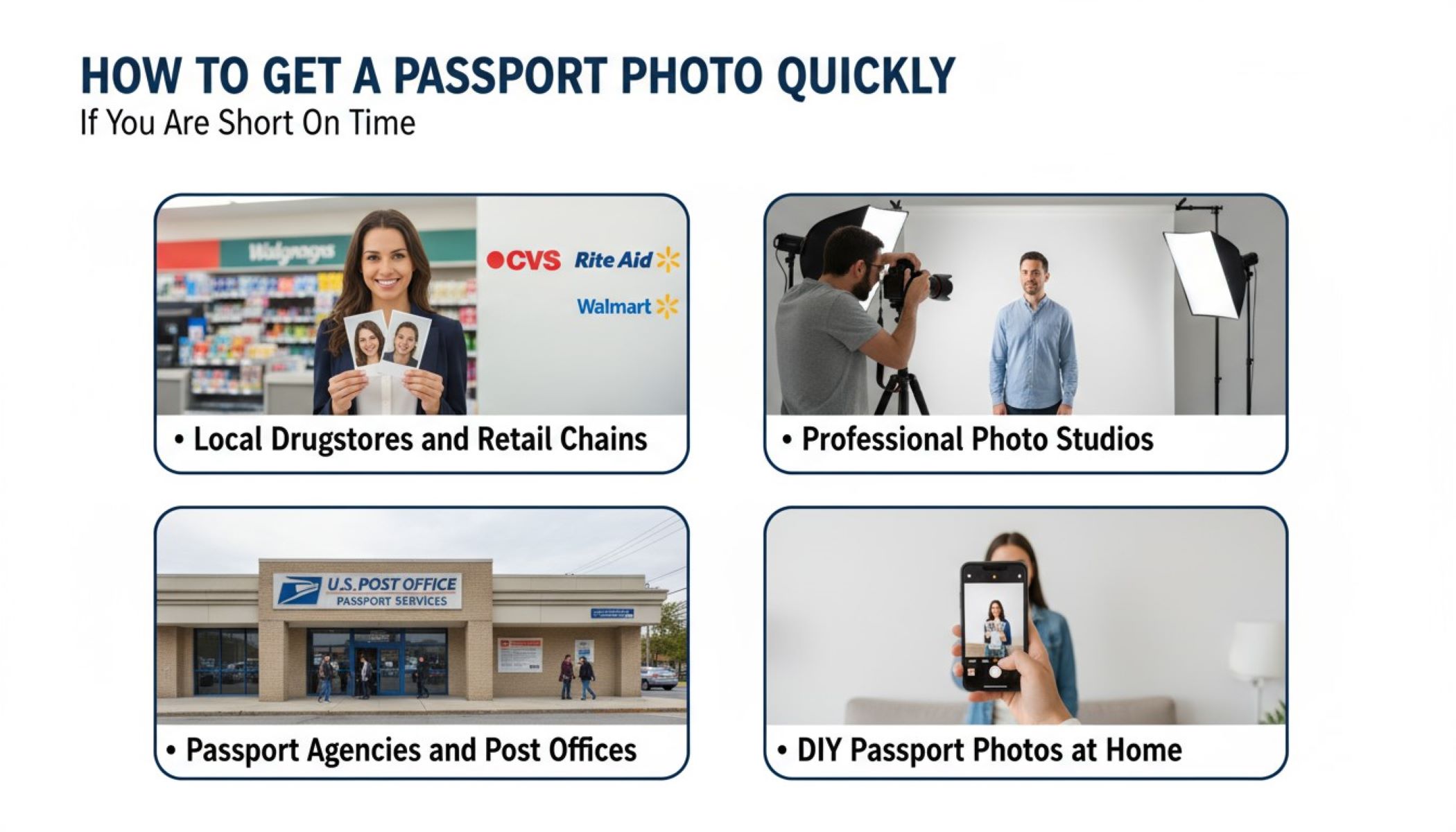
Getting a passport photo might seem simple, but when you’re short on time, it can quickly become a stressful task. Whether you’re rushing for an international trip, a visa application, or renewing your passport, waiting in long queues or trying to figure out specifications can be frustrating. The good news? There are several ways to get your passport photo fast, without compromising quality or compliance. Let’s dive into all the practical, efficient options.
Why Passport Photos Are Tricky
Getting a passport photo isn’t as simple as pulling out your phone and snapping a selfie. While it may seem like a minor step in the passport application process, the rules and standards are surprisingly strict. Each country has precise requirements regarding size, background, and even the way your facial expression should appear. For example, in the U.S., the standard is a 2×2 inch photo, but many other countries have slightly different dimensions. Even a tiny deviation can result in your photo being rejected, which means wasted time, additional cost, and potentially delaying your travel plans.
The background might seem like a small detail, but it is crucial for compliance. Passport photos typically require a plain white or off-white background to ensure your face stands out clearly. Shadows, patterns, or even textured walls can cause the image to be rejected. Lighting also plays a huge role; too much light or uneven shadows on your face can interfere with the camera’s ability to capture your features accurately. Many people underestimate how much effort is required to create the perfect, compliant background, which is why professional or automated solutions are often preferred.
Facial expression is another surprisingly strict factor. Passport authorities almost universally require a neutral expression, with eyes open and mouth closed. Smiling, frowning, or tilting your head even slightly can lead to rejection. The idea behind this rule is to maintain consistent, recognizable images for identification purposes, which is especially important for security and border control. Even minor distractions like hair falling over the face or glasses with glare can create complications, so attention to detail is key when taking a photo.
Finally, the photo must be recent, clear, and high-resolution. Authorities want to see an accurate representation of your current appearance, not an outdated or blurry image. Any blurriness, pixelation, or low-quality printing can result in your photo being invalid. Because of all these strict rules, many people find themselves spending more time than expected trying to get a single acceptable photo. This is why having a reliable, fast method—whether through professional studios, retail kiosks, or certified online tools—is so important when you’re short on time and need a passport photo that will be accepted the first time.
Traditional Options for Quick Passport Photos
If you’re thinking, “I just need it fast!” there are several traditional methods that have stood the test of time. Each option comes with its own set of benefits, limitations, and practical considerations, so knowing all the details can save you precious time. Here’s a detailed breakdown of the most reliable traditional ways to get a passport photo quickly:
- Local Drugstores and Retail Chains
Large chains like CVS, Walgreens, Rite Aid, and Walmart offer same-day passport photo services in many locations. These stores typically have dedicated photo booths or staff trained to take compliant passport photos. The advantage is clear: you can walk in, have your photo taken, and walk out with a print in hand, often within minutes. Retail chains are usually located in easily accessible areas, which makes them convenient for last-minute photo needs. However, these services aren’t perfect. Popular locations can have long lines, especially on weekends or before holidays, and costs can be slightly higher than doing it yourself at home. Calling ahead to confirm availability can save you time and prevent unnecessary waiting. - Professional Photo Studios
Photography studios may sound like an old-fashioned option, but they remain one of the most reliable ways to get a passport photo quickly. Professional photographers are well-versed in all the technical requirements for passport images, such as correct dimensions, lighting, and neutral expressions. They can provide high-quality prints and often email a digital copy immediately. The main advantage is the peace of mind that your photo will meet all regulations on the first try. On the downside, studios tend to be more expensive than retail chains, and not every neighborhood has one nearby. Still, for travelers with urgent deadlines, the reliability and quality often outweigh the cost. - Passport Agencies and Post Offices
Certain passport agencies and post offices, particularly those near busy airports or government centers, offer passport photo services on-site. This option is highly convenient if you plan to submit your passport application immediately, as you can handle everything in one visit. The biggest advantage is compliance: the photos taken at these official locations are almost guaranteed to meet all requirements. However, there are a few limitations. Not all post offices provide this service, and some require an appointment. Additionally, availability may be limited during peak travel seasons, so checking in advance is essential.
DIY Passport Photos at Home – The Fastest Option
| Step | Description | Tips for Best Results | Common Mistakes to Avoid | Tools/Resources |
| Set Up the Background | Use a plain white or light-colored wall as your background. Ensure the lighting is even to avoid shadows. Natural light is ideal. | Position yourself 3–4 feet from the wall to minimize shadows. Use a lamp or ring light if indoor lighting is insufficient. | Shadows, textured walls, patterned backgrounds, or uneven lighting can cause rejection. | Plain wall, lamp or ring light, natural daylight |
| Dress Appropriately | Wear everyday clothing; avoid uniforms or camouflage. Keep hair off your face to ensure a clear view. | Choose solid colors that contrast slightly with the background. Remove hats, headbands, or large jewelry. | Wearing busy patterns, dark glasses, or distracting accessories can make your photo non-compliant. | Solid-colored clothing, hair tie or clip |
| Positioning and Expression | Face the camera directly, keeping a neutral expression. Eyes open, mouth closed, and head centered in the frame. | Stand straight and keep shoulders relaxed. Use a tripod or stack of books to keep the camera at eye level. | Tilting your head, looking away, smiling, or squinting may cause rejection. | Smartphone, tripod or stable surface, camera timer |
| Take Multiple Shots | Capture several photos to choose the best one. Slight adjustments in angle, lighting, or distance can improve quality. | Take 5–10 photos from slightly different distances and angles to ensure one is perfect. | Relying on a single shot increases the risk of mistakes. | Smartphone camera, timer feature, burst mode |
| Use Online Passport Photo Tools | Convert your chosen photo into a compliant passport photo using online services or apps. | Upload your photo, select your country’s requirements, and download a ready-to-print version. Many tools also correct background, crop, and resize automatically. | Using unverified apps may result in non-compliant formatting. | Passport Photo Online, iVisa Passport Photo, MyPassportPhotos, Canva, IDPhotoDIY |
Printing Options for Fast Passport Photos
Once you have a digital copy of your passport photo, the next crucial step is turning it into a physical print that meets official requirements. While the digital version is convenient for online submissions, most passport applications still require a printed photo. One of the fastest ways to do this is through local stores like Walmart, CVS, and Staples. These stores allow you to print directly from your phone, email, or USB drive. Printing at these locations is usually cost-effective, often under $10, and can be completed in under 10 minutes. For anyone short on time, this option combines accessibility, speed, and reliability.
Using a home printer is another viable option if you have high-quality printing equipment and photo paper. To achieve a professional result, it’s important to use good-quality photo paper and ensure that your printer settings are adjusted to the highest resolution possible. The photo dimensions must match the passport requirements exactly, so measuring the print after it comes out is essential. Many people underestimate this step, and even a slightly incorrect size can result in a rejected application. With careful attention, printing at home can be both fast and effective.
Instant photo kiosks are increasingly common in malls, airports, and large retail stores, offering another rapid solution. These self-service machines allow you to either take a new photo on the spot or upload a pre-existing digital image. The primary advantage is speed—most kiosks can print your passport photo within seconds, which is ideal if you’re traveling or need a last-minute solution. These kiosks also provide a simple, guided process, ensuring your photo is roughly compliant with official standards.
However, while instant kiosks are quick and convenient, they do have limitations. Editing options are usually very limited, meaning you might not be able to adjust minor lighting or background issues. Additionally, the print quality may not always match that of professional stores or home printers with premium photo paper. Despite these limitations, kiosks remain a reliable fallback when time is extremely short. By knowing all your printing options, from local stores to home printers and kiosks, you can choose the method that best balances speed, quality, and convenience.
Smartphone Apps That Save Time
Smartphones today are incredibly powerful, making it possible to create a fully compliant passport photo without leaving your home. These apps not only help you take a photo but also ensure it meets all official requirements, saving you time and stress. Here’s a detailed list of the most popular and effective apps for passport photo creation:
- Passport Photo Maker
This app is designed to make the process of creating a passport photo fast and simple. It allows users to resize images to exact country-specific dimensions, adjust the background to meet official standards, and format the photo for printing. The interface is intuitive, guiding users step-by-step to ensure compliance. Additionally, it provides options to save digital copies for online submissions, making it ideal for travelers on the go. Many users report being able to produce a ready-to-print photo in under five minutes. - ID PhotoPrint
ID PhotoPrint is a versatile app that supports passport photo creation for multiple countries. It can handle both digital and physical submissions, offering templates that match the exact requirements of each nation. The app also includes automated background correction and cropping features, ensuring your photo is compliant without manual editing. It’s especially useful for frequent travelers or expatriates who need passport photos for different countries, eliminating the hassle of understanding foreign specifications. - Visa & Passport Photo
This app focuses on speed and accuracy. It automatically checks your photo for compliance with official guidelines, including size, background, and facial positioning. Users can quickly download a digital version suitable for online submissions or print at home or at a local store. The app is highly rated for its efficiency, making it perfect for last-minute travelers who need a fast, reliable solution. Many travelers rely on it when airports or offices don’t have nearby photo services. - MyPassportPhotos
MyPassportPhotos is another popular choice for those who want a quick and easy solution. It allows users to resize, crop, and adjust their photos for compliance. The app also offers a digital download for printing or online submission and includes helpful tips for achieving proper lighting and positioning. It’s particularly convenient for individuals taking photos at home, as it reduces the risk of rejection due to minor mistakes. - Canva Passport Photo Tool
While Canva is widely known for graphic design, its passport photo tool has become increasingly popular. Users can remove backgrounds, adjust lighting, and resize photos to meet specific requirements. Canva also offers templates for multiple countries and allows instant downloads for printing or digital submission. Its drag-and-drop interface makes it beginner-friendly while maintaining professional-quality results.
Tips to Avoid Rejections
| Tip | Description | Practical Advice | Common Mistakes | Recommended Tools/Resources |
| Check Official Size and Format | Ensure your photo meets the exact dimensions and format required by your country. | Verify country-specific size (e.g., 2×2 inches in the U.S.) and format (JPEG, color, high-resolution). | Using old photos, wrong dimensions, or low-quality formats can lead to rejection. | Official government websites, Passport Photo Online, iVisa Passport Photo |
| Avoid Shadows or Uneven Lighting | Uniform lighting is essential for facial clarity. Shadows on the face or background can cause rejection. | Use natural light or soft artificial lighting; position yourself 3–4 feet from the background. | Harsh sunlight, single light sources, or poor indoor lighting can create shadows. | Ring lights, LED panels, window lighting, light diffusers |
| Keep a Neutral Facial Expression | Passport photos usually require a neutral expression with eyes open and mouth closed. | Relax your face, keep eyes looking at the camera, and avoid smiling or frowning. | Smiling, squinting, or tilting the head can make your photo non-compliant. | Smartphone camera, tripod, selfie timer |
| Use a Plain, Contrasting Background | A plain background helps the face stand out clearly for identification purposes. | Use white or off-white walls; avoid patterns, textures, or cluttered environments. | Backgrounds with colors, patterns, or shadows can result in rejection. | Plain wall, photo backdrop, online background removal tools |
| Ensure the Photo Is Recent | Passport authorities require a current photo, usually taken within the last 6 months. | Take a fresh photo specifically for your application, not an old one. | Using outdated photos can lead to rejection due to changes in appearance. | Smartphone camera, professional photo studios, passport photo apps |
Expedited Passport Photos Abroad
Traveling internationally and realizing you don’t have a passport photo can be stressful, but there are reliable solutions if you need one quickly. Many airports around the world now feature instant photo booths specifically designed for passport and visa photos. These booths guide travelers step-by-step through the process, ensuring the photo meets basic official standards. Most booths can print your passport photo in under five minutes, making them a lifesaver for last-minute travelers rushing to catch a flight or submit visa documents.
Embassies and consulates in foreign countries often provide passport photo services as well. While this option is highly reliable because the staff are familiar with official requirements, it may not always be as fast. Some embassies require appointments, and processing times can vary depending on local regulations and demand. However, for critical travel situations or official applications, embassy services ensure compliance and significantly reduce the risk of photo rejection.
Local photo shops are another convenient option for travelers abroad. Most towns and cities, even in countries with limited tourist infrastructure, have professional photo studios or small shops that are familiar with passport and visa photo requirements. These shops can quickly take, edit, and print photos that meet international standards. They are particularly useful if you are staying in one location for a few days and need a high-quality photo without relying on automated booths.
It’s important to plan ahead, even when time is short. While airport booths are fastest, embassy services and local photo shops provide greater accuracy and compliance, especially if your photo needs to be submitted for visas or official documents. Travelers should also keep digital copies of their passport photos stored on their phone or cloud services, as this can speed up the process further. By knowing all available options abroad, you can handle last-minute passport photo emergencies with confidence and efficiency.